Account Deletion
Learn how to permanently delete your Choro account and all associated data.
Account deletion is immediate and permanent. Once confirmed, all your data is instantly and irreversibly deleted. We do not retain any user information after deletion.
Overview
When you delete your Choro account, the following happens immediately:
- Your profile information is permanently erased
- All messages and chat history are deleted
- All uploaded images and files are removed
- Access to all Choro services is revoked
- All data is purged from our systems with no retention period
There is no recovery period. Your data is gone forever.
Step-by-Step Guide
Step 1: Log In to Your Account
First, you need to be logged into your Choro account.
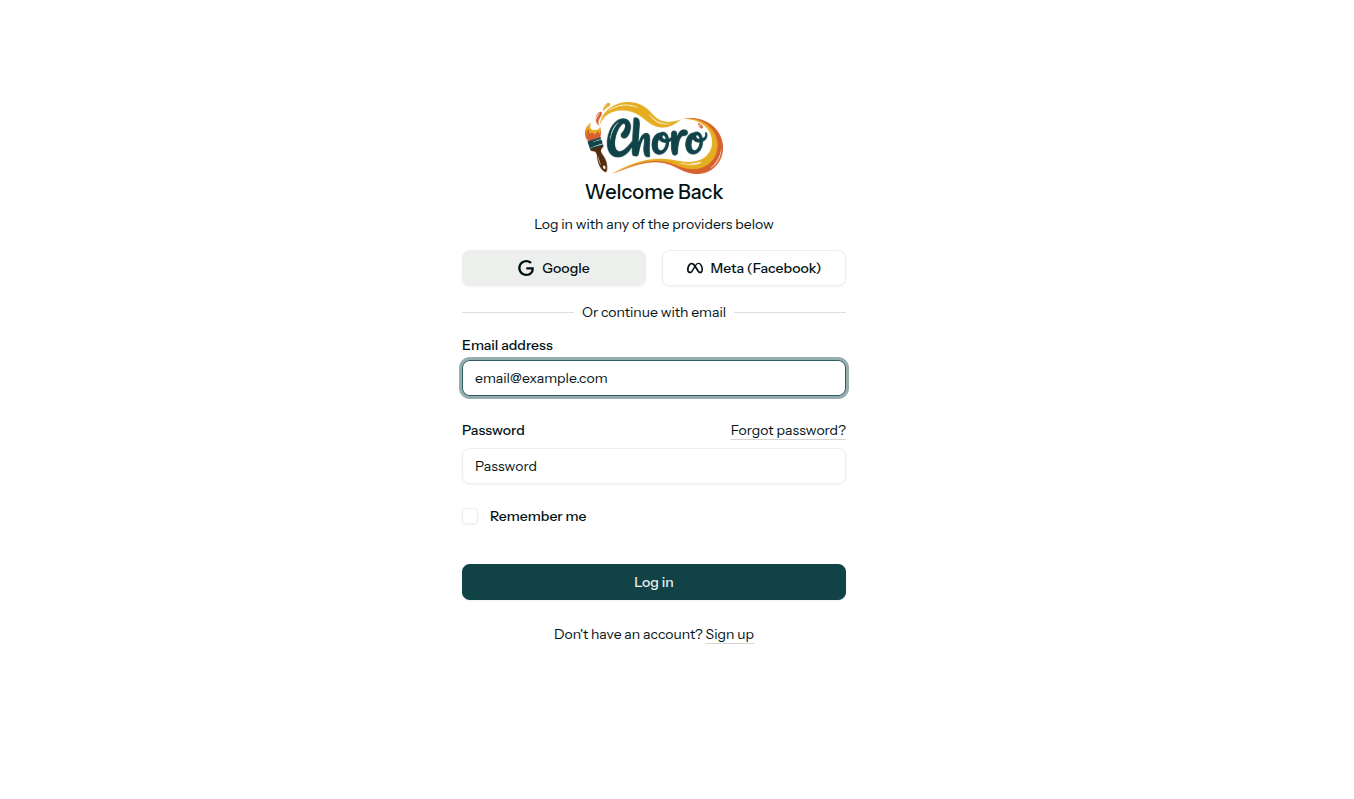
- Go to the Choro login page
- Enter your email address
- Enter your password
- Click Log in
You can also log in using Google or Meta (Facebook) authentication.
Step 2: Access Profile Settings
Navigate to your profile settings to manage your account.
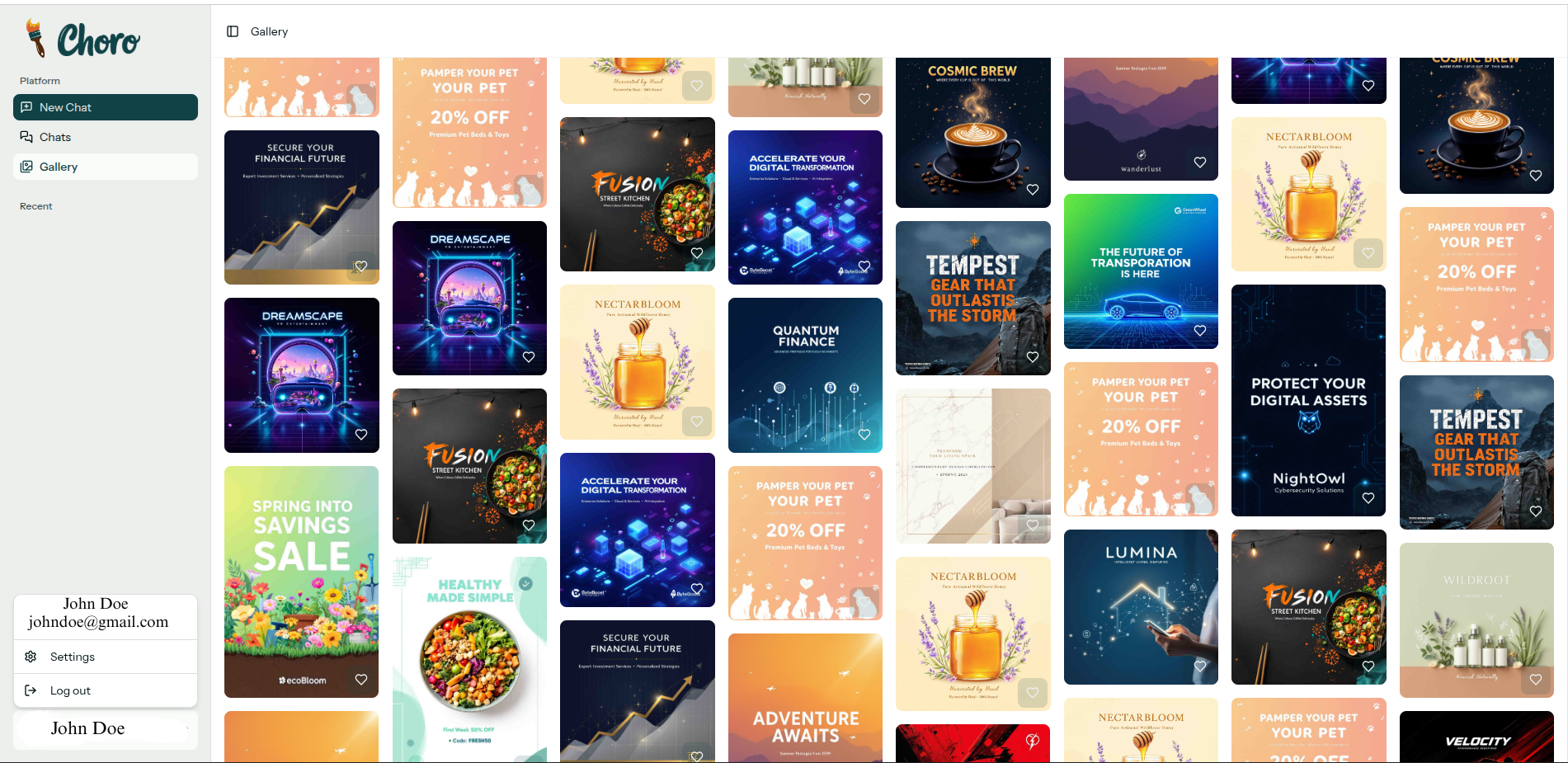
- Click on your profile name or avatar in the sidebar (bottom left)
- Select Settings from the menu
- Navigate to the Profile tab
In the Profile settings page, you'll see:
- Profile information (Name, Email)
- Password management
- Appearance settings
- Delete account section (at the bottom)
Step 3: Initiate Account Deletion
Scroll down to the "Delete account" section at the bottom of the Profile settings page.
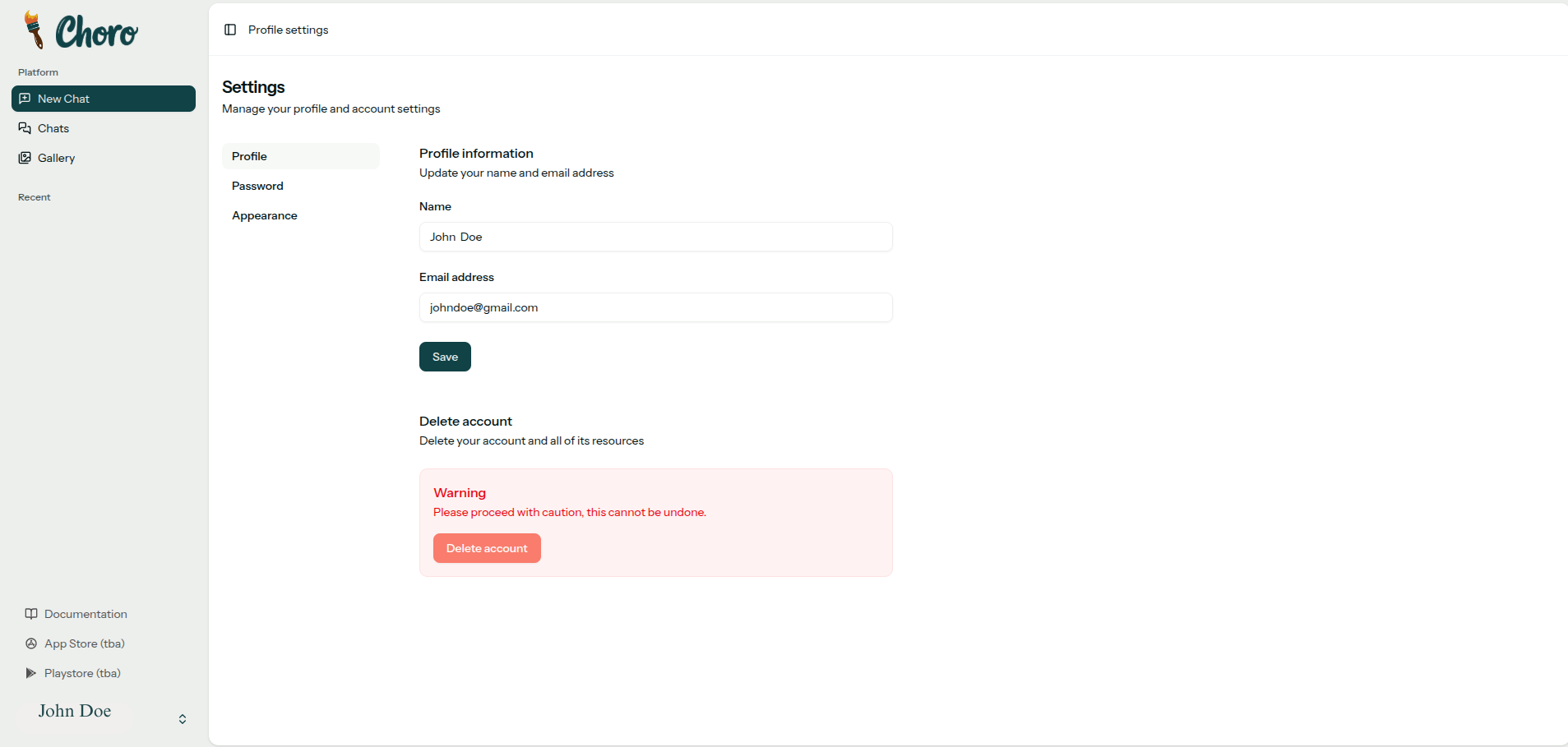
- Locate the Delete account section with the red warning box
- Read the warning: "Please proceed with caution, this cannot be undone"
- Click the red Delete account button
Once you proceed past this step and confirm your password, your account deletion cannot be stopped or reversed.
Step 4: Confirm Account Deletion
A confirmation dialog will appear asking you to verify your decision one final time.

To complete the deletion:
- Read the confirmation message carefully
- Enter your current password to verify it's really you
- Click Delete account to permanently delete everything
- Or click Cancel if you've changed your mind
Once you click "Delete account" and enter your password:
- Your account is deleted immediately
- All data is permanently erased
- No recovery is possible
- No data is retained in backups or archives
- This action is 100% irreversible
What Happens After Deletion?
The deletion process is immediate and complete:
- Instant: You are logged out of all devices
- Instant: Your account is permanently deleted
- Instant: All your data is purged from our active systems
- Instant: Your profile becomes inaccessible
- No backups retained: We do not keep any archives of deleted accounts
Your data is completely gone the moment you confirm deletion.
Before You Delete
Think carefully before deleting your account. Consider these alternatives:
Take a Break Instead
- Log out and take time away from the platform
- You can return anytime without losing your data
- Your content and connections remain safe
Download Important Content
- Save important conversations before deletion
- Export any files or media you want to keep
- Note: Once deleted, retrieval is impossible
Update Privacy Settings
- Adjust who can see your profile
- Control notification preferences
- Manage data sharing settings
Important Information
Can I recover my account after deletion?
No. Account deletion is immediate and permanent. Once you confirm deletion, all your data is instantly and irreversibly erased. We retain nothing.
How long does the deletion process take?
Instant. Your account and all associated data are deleted immediately upon confirmation. There is no waiting period or recovery window.
What happens to my messages in group chats?
Your messages are deleted immediately. Other users will see that messages from your account are no longer available.
Can I create a new account with the same email?
Yes. Since we don't retain any information about deleted accounts, you can immediately create a new account using the same email address if you wish.
Is any data retained after deletion?
Yes. For legal compliance, we retain basic billing information such as your billing address and transaction records. We do not retain any bank account details or payment card information. All other user data is permanently deleted immediately.
Need Help?
If you're experiencing issues or have questions before deleting:
- 📧 Email: info@choro.app
- 🌐 Website: https://choro.app/
- 📖 Read our Privacy Policy
- ⚖️ Review our Terms of Service
Related Documentation
- Privacy Policy - How we handle your data
- Terms of Service - Rules and guidelines